Hyundai Tucson: Door scuff trim
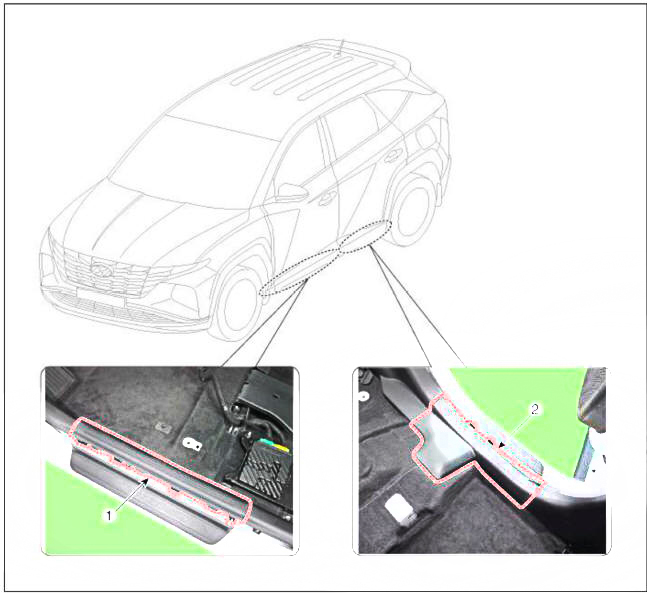
- Front door scuff trim
- Rear door scuff trim
Replacement
Front door scuff trim
WARNING
- When removing with a flat-tip screwdriver or remover, wrap protective tape around the tools to prevent damage to components.
- Put on gloves to prevent hand injuries.
WARNING
Take care not to bend or scratch the trim and panels.
- Remove the front door body side weatherstrip.
(Refer to Front Door - "Front Door Side Weatherstrip")
- Using a screwdriver or remover and remove the front door scuff trim (A).
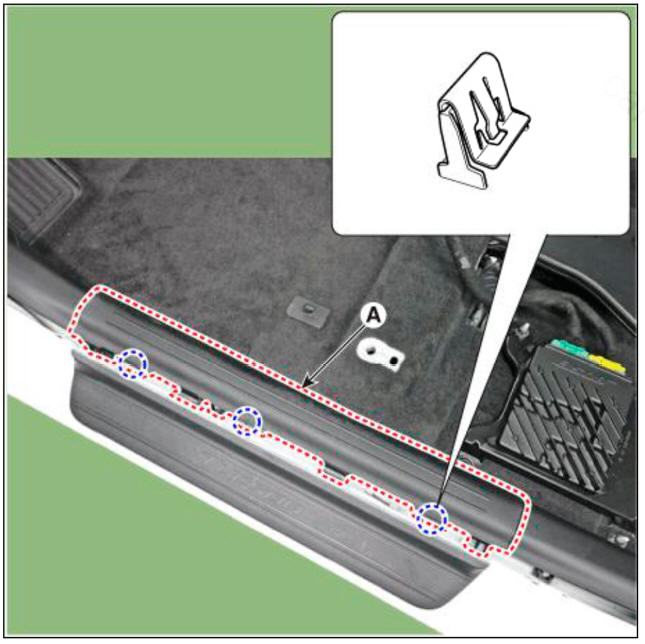
- To install, reverse removal procedure.
WARNING
Replace any damaged clips (or pin-type retainers).
Rear door scuff trim
WARNING
- When removing with a flat-tip screwdriver or remover, wrap protective tape around the tools to prevent damage to components.
- Put on gloves to prevent hand injuries.
WARNING
Take care not to bend or scratch the trim and panels.
- Remove the rear door body side weatherstrip.
(Refer to Rear Door - "Rear Door Side Weatherstrip")
- Remove the rear seat assembly.
(Refer to Rear Seat -"Rear Seat Assembly")
- Using a screwdriver and remove the rear door scuff trim (A).
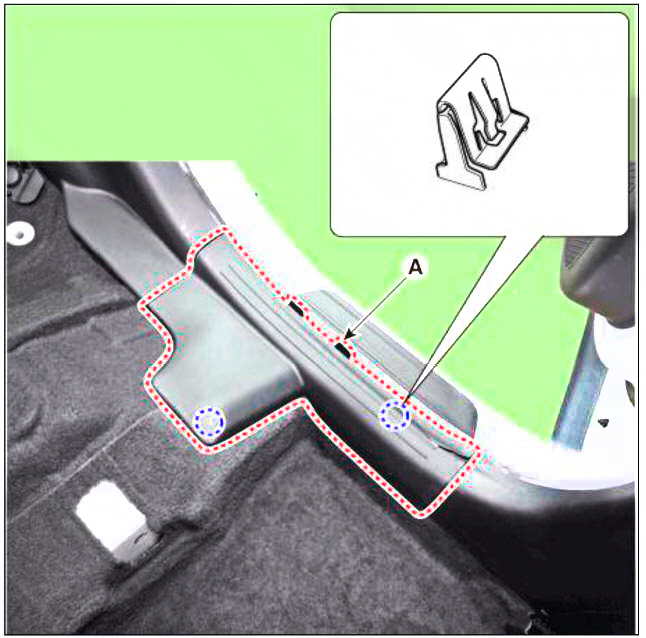
- To install, reverse removal procedure.
WARNING
Replace any damaged clips (or pin-type retainers).
READ NEXT:
 Door step trim
Component Location
Front door step trim
Rear door step trim
Replacement
WARNING
When piying with a flat-tip screwdriver, wrap it with
protective tape, and apply protective tape
around the related parts, to prevent damage.
Put
Front pillar trim
Component Location
Front pillar trim
Replacement
WARNING
When removing with a flat-tip screwdriver or remover, wrap
protective tape around the tools to
prevent damage to components.
Put on gloves to prevent hand injuries.
WA
Center pillar trim
Component Location
Center pillar lower trim
Center pillar upper trim
Replacement
Center pillar lower trim
WARNING
When removing with a flat-tip screwdriver or remover, wrap
protective tape around the tools to prevent
damage to
SEE MORE:
Control Cable - Removal
Turn OFF ignition switch and disconnect the negative (-) batteiy cable.
Remove the air duct and air cleaner assembly.
(Refer to Engine Mechanical System - "Air Cleaner")
Remove the batteiy and batteiy tray.
(Refer to Engine E
GPF (Gasoline Particulate Filter)
Turn the ignition switch OFF and disconnect the battery negative (-)
cable.
Remove the floor under cover front RH.
Disconnect the Exhaust Gas Temperature Sensor (EGTS) Front (A) and Rear
(B).
Remove the gasoline particulate fil
Information
- Home
- Hyundai Tucson - Fourth generation (NX4) - (2020-2023) - Owner's Manual
- Hyundai Tucson - Fourth generation (NX4) - (2020-2023) - Workshop Manual
