Hyundai Tucson: Luggage side trim
Component Location
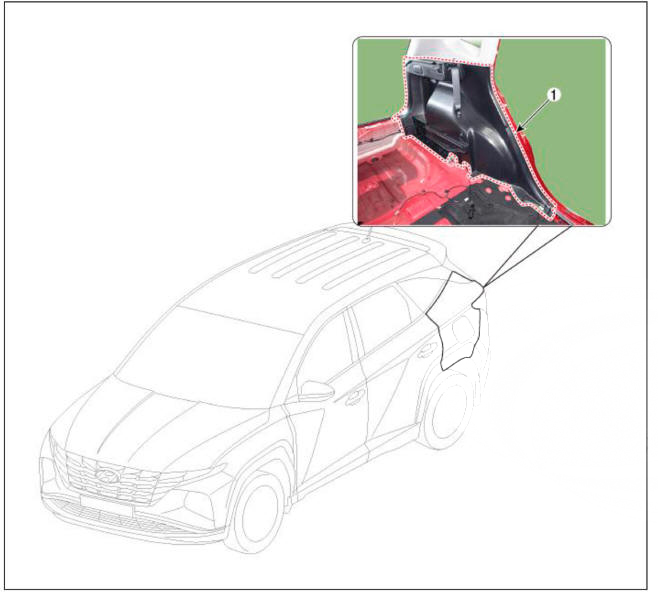
- Luggage side trim
Replacement
WARNING
- When removing with a flat-tip screwdriver or remover, wrap protective tape around the tools to prevent damage to components.
- Put on gloves to prevent hand injuries.
WARNING
Take care not to bend or scratch the trim and panels.
- Disconnect the negative ( - ) battery terminal.
- Remove the rear seat assembly.
(Refer to Rear Seat - "Rear Seat Assembly")
- Remove the rear transverse trim.
(Refer to Trunk Trim - "Rear Transverse Trim")
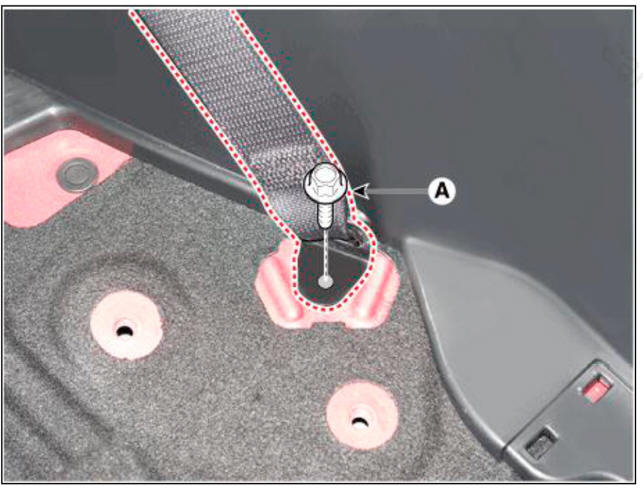
- Loosen the mounting bolt, remove the second seat belt lower anchor (A).
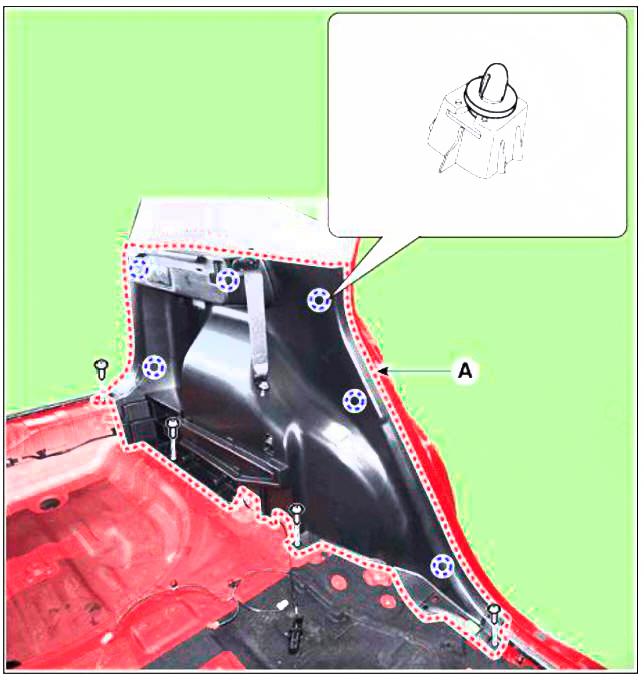
- Loosen the mounting screws and remove the luggage side trim (A).
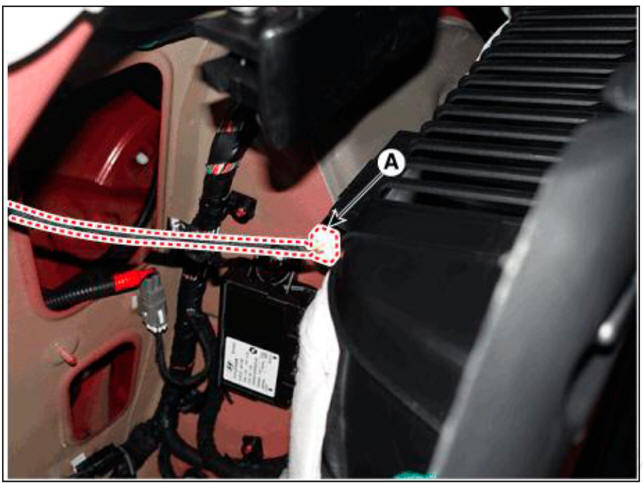
- Disconnect the connectors (A).
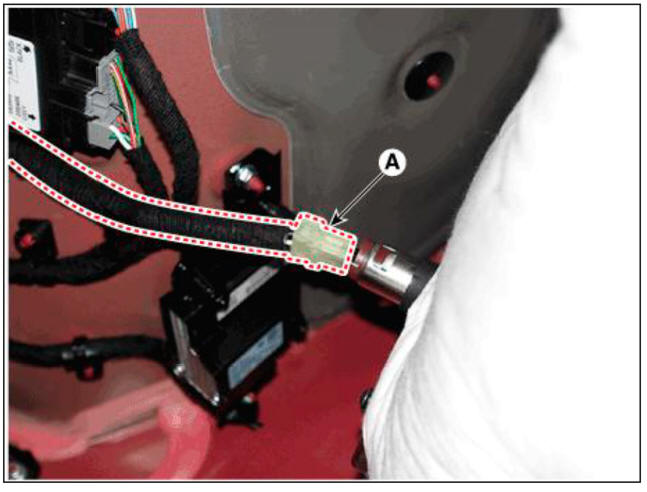
- To install, reverse removal procedure.
WARNING
- Replace any damaged clips (or pin-type retainers).
- Make sure the connectors are plugged in properly, and the antenna lead is connected properly.
READ NEXT:
 Windshield Glass - Replacement
Components
Windshield glass
Windshield glass upper molding
Replacement
WARNING
Put on gloves to prevent hand injuries.
WARNING
Use seat covers to avoid damaging any surfaces.
Remove the front pillar trim.
(Refer to Interior Tri
Windshield Glass - Installtion
Installtion
Using a knife, scrape the remaining sealant around the body panel
leaving about 2mm-thick sealant
(0.0079 in.) on the bonding surface. If installing a new windshield glass,
make alignment marks on
the windshield glass and th
SEE MORE:
Main Function
Static Braking Mode
The operation and the cancellation at the stop condition of the vehicle
(1) The operation condition: Pull the EPB switch irrespective of the brake
pedal pressed condition.
(Pull).
The Vehicle speed <= 3kph
(2
Paddle shifter (Manual shift mode)
The paddle shifter is available when
the shift lever/button is in the D (Drive)
position or the manual shift mode.
With the shift lever/button in the D
position
The paddle shifter will operate when the
vehicle speed is more than 6mph.
Pu
Information
- Home
- Hyundai Tucson - Fourth generation (NX4) - (2020-2023) - Owner's Manual
- Hyundai Tucson - Fourth generation (NX4) - (2020-2023) - Workshop Manual
