Hyundai Tucson: Front View Camera System - Removal
Hyundai Tucson - Fourth generation (NX4) - (2020-2023) - Workshop Manual / Advanced Driver Assistance System (ADAS) / Front View Camera System / Front View Camera System - Removal
Circuit Diagram
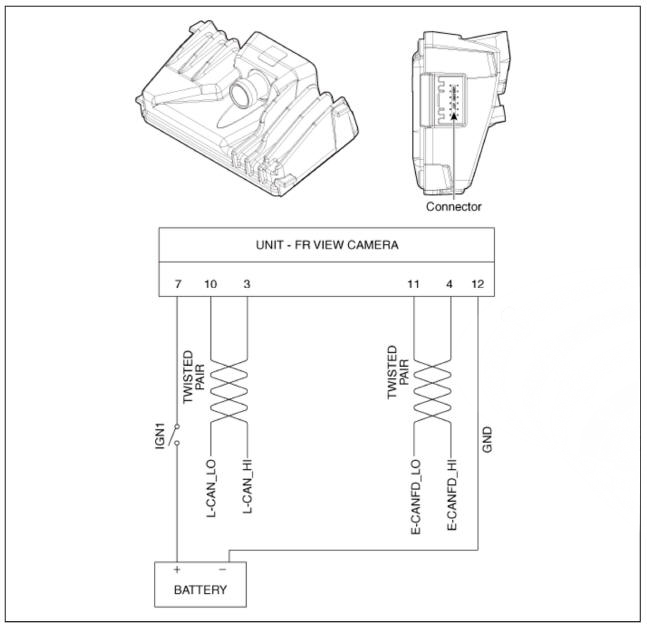
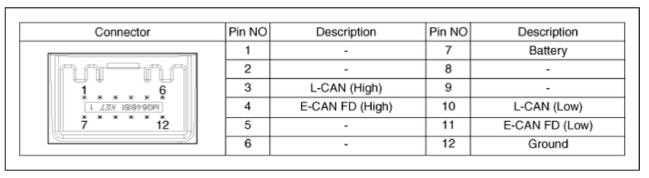
Removal
- Disconnect the negative (-) battery terminal.
- Remove the inside rear view mirror cover (A)
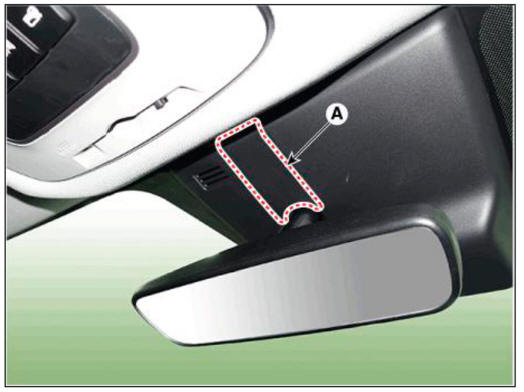
- Remove the front view camera cover (A).
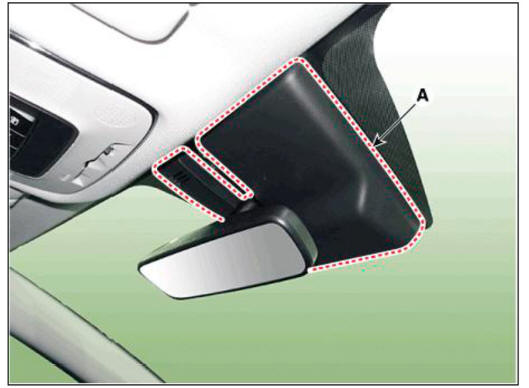
- Disconnect the front view camera connector (A).

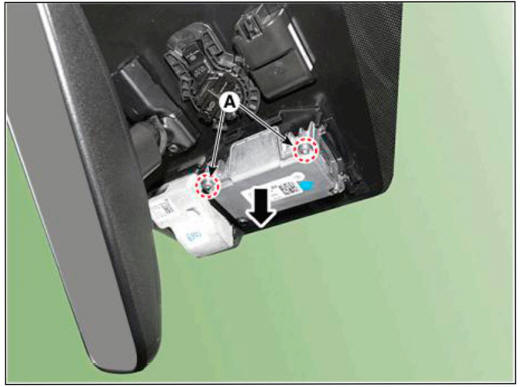
- Separate the fixed points (A) of coupler and remove the front view camera.
WARNING
Be careful not to break the hook (A).
Installation
WARNING
- Perform the camera calibration in the following case.
(Refer to Front View Camera System - "Repair Procedure")
- I f the front view camera is replaced with a new one.
- I f the front view camera is removed and mounted.
- I f the front view camera coupler of the windshield glass is deformed.
- I f the windshield glass is changed.
- When a failure code (System Out of Calibration) occur.
- Install in the reverse order of removal.
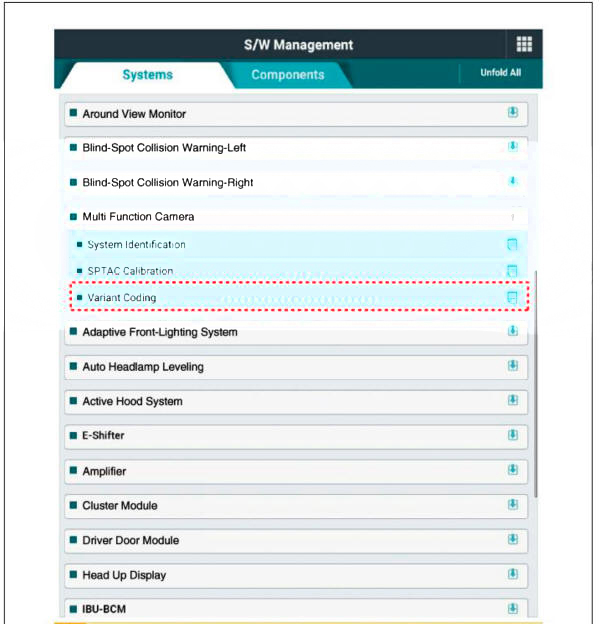
- When if replacing the front view camera with a new one, perform the "Variant Coding" procedure by using the Diagnostic Tools.

- Perform the front view camera unit calibration.
(Refer to Front View Camera System - "Repair Procedure")
READ NEXT:
 General Safety Information and Caution
Be careful when driving the vehicle using the smart cruise control
system as follows.
(1) On curves or inclines/declines
The smart cruise control system may have limits to detect distance to
the vehicle ahead due to
road and traffic
Front Radar System - Description and operation
WARNING
The System may be limited when
The radar sensor or camera is blocked with a foreign object or
debris.
The camera lens is contaminated due to tinted filmed or coated
windshield, damaged glass, or smck of foreign matter
(sticker,
SEE MORE:
Heated Oxygen Sensor (H02S)
Description
Heated Oxygen Sensor (HO2S) consists of the zirconium and the alumina and is
installed on upstream
and downstream of the Manifold Catalyst Converter (MCC).
In order that this sensor normally operates, the temperature of the sensor
Floor Carpet
Replacement
WARNING
When removing with a flat-tip screwdriver or remover, wrap
protective tape around the tools to prevent damage to
components.
Put on gloves to prevent hand injuries.
WARNING
Take care not to bend or scratch the trim
Information
- Home
- Hyundai Tucson - Fourth generation (NX4) - (2020-2023) - Owner's Manual
- Hyundai Tucson - Fourth generation (NX4) - (2020-2023) - Workshop Manual
